
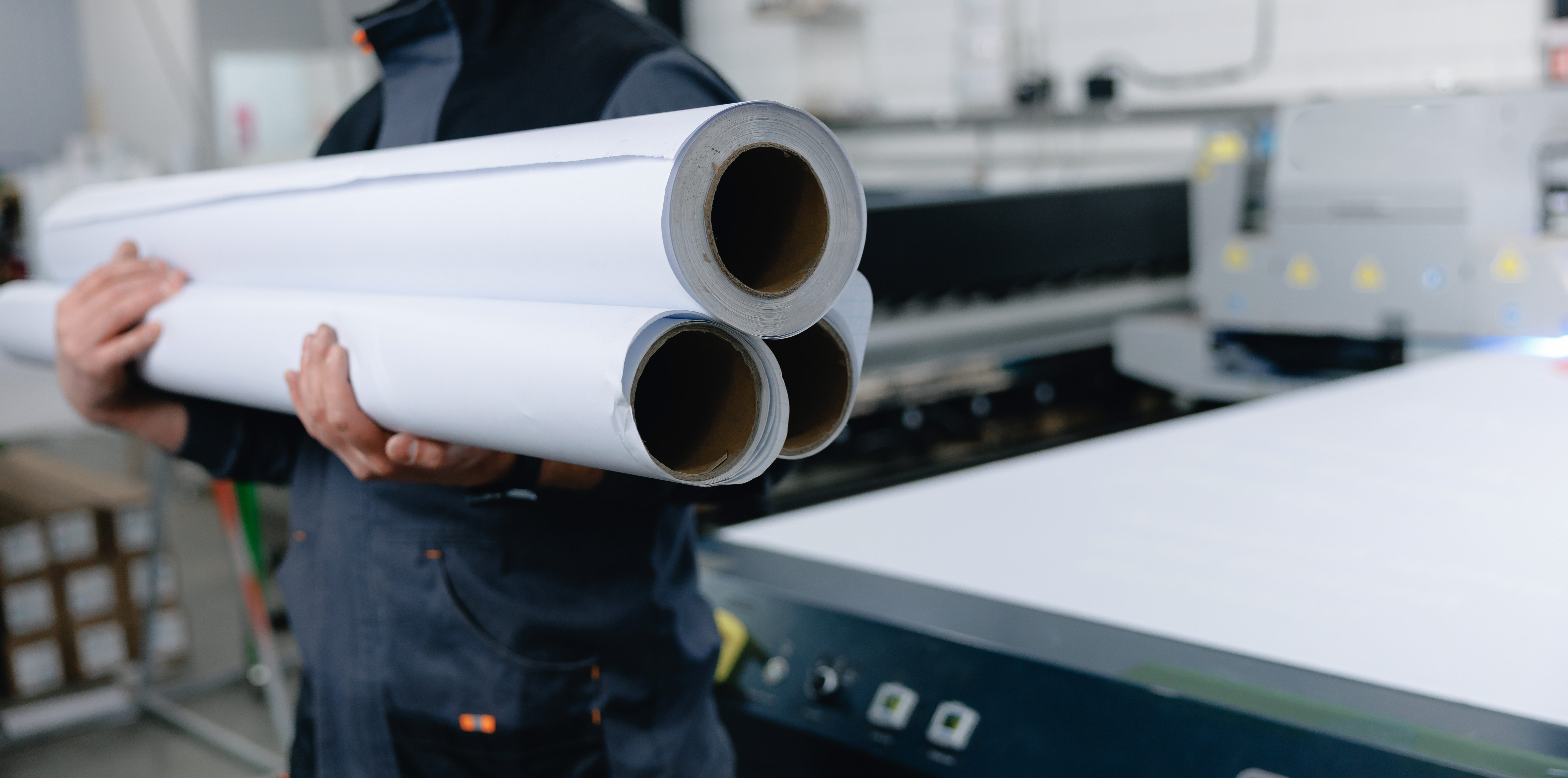
For wide-format print shops, every inch of media and every drop of ink represents a production cost. Wasted material, unnecessary ink consumption, and jobs that need to be reprinted can quickly eat into profit margins. While some waste is unavoidable in printing, much of it can be reduced with the right equipment, processes, and RIP software.
A capable RIP (Raster Image Processor) does more than translate artwork into instructions a printer can understand. It helps print professionals prepare jobs, manage color, optimize layouts, and control output before production begins. These capabilities can make a meaningful difference in how efficiently a shop uses its resources.
From intelligent nesting to advanced color management, here are several ways the right RIP software can help reduce print waste, improve production efficiency, and save money.
1. Optimize Media Usage with Print Nesting
One of the most direct ways to reduce print waste is to make better use of the media already loaded in a printer. Every time a job leaves large unused spaces around or between designs, valuable material goes unused.
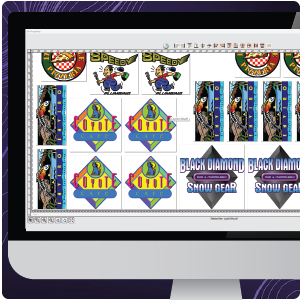
Print nesting helps solve this problem by arranging multiple designs or jobs together to maximize the usable area of a sheet or roll. Rather than printing each design individually, nesting software organizes them into a more efficient layout, reducing unnecessary gaps and unused media.
For example, a sign shop producing several decals of different sizes might normally print each design separately. By nesting those designs together, the shop can fit more work onto the same section of vinyl.
Effective nesting can help print shops:
- Fit more designs into a single print run.
- Reduce unused space between jobs.
- Minimize the amount of media needed for a group of orders.
- Reduce material handling and unnecessary roll changes.
- Lower the cost per printed piece.
However, not all nesting software works the same way. The way designs are arranged can have a significant impact on how much material is actually saved.
2. Get More from Every Sheet with True Shape Nesting
Traditional nesting often arranges designs based on their rectangular boundaries. Even when a graphic has an irregular shape, the software may treat it as though it occupies the entire rectangle surrounding it. This can leave considerable amounts of usable material untouched.
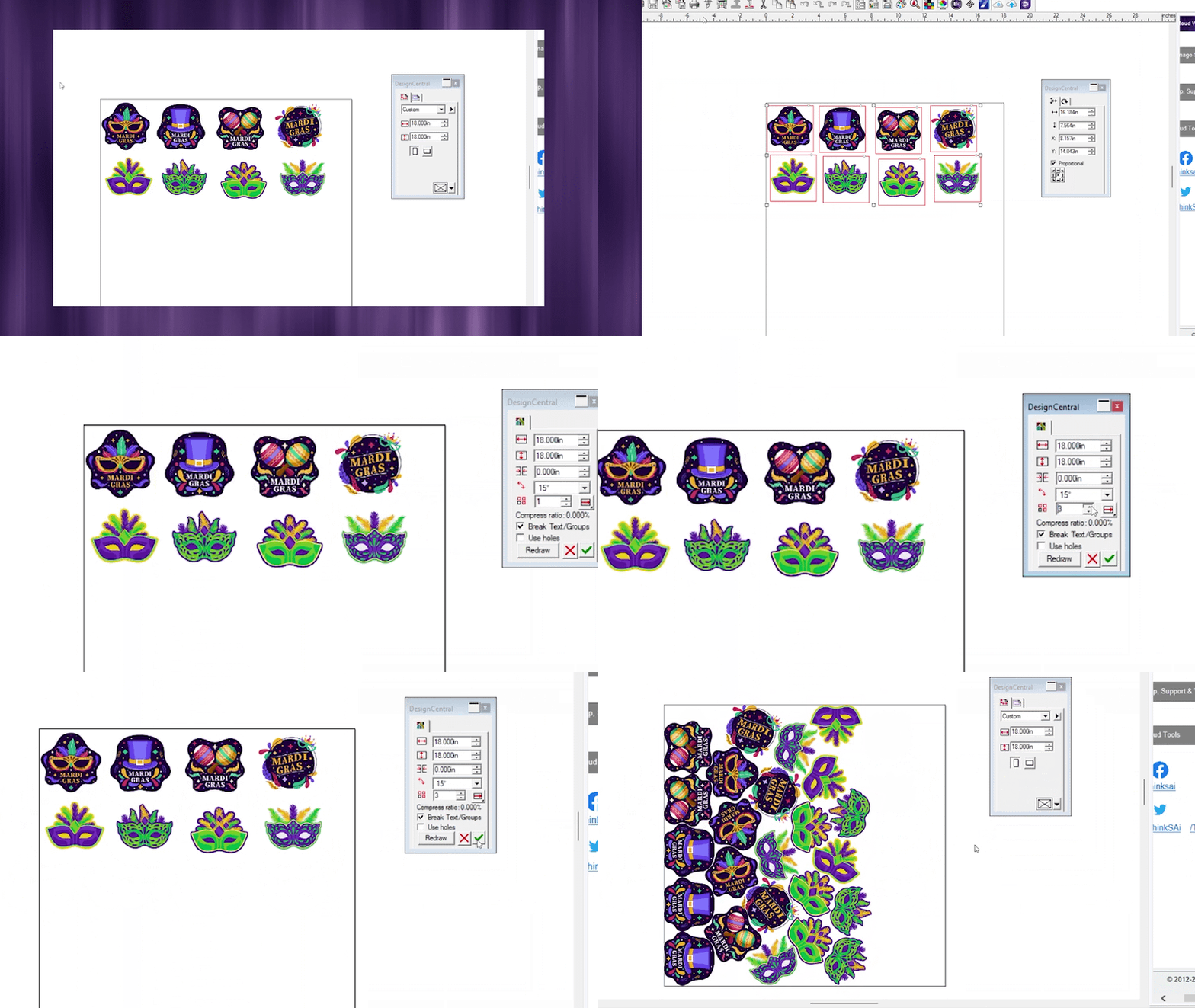
True Shape Nesting takes a more advanced approach. Instead of relying on rectangular boundaries, it uses the actual contours of each object to determine how designs can fit together.
SAi Flexi includes True Shape Nesting, which uses a more complex nesting algorithm to arrange objects more tightly than standard nesting. This can be particularly valuable for applications involving decals, stickers, lettering, and contour-cut graphics.
Consider a few examples:
- Irregularly shaped graphics: Designs with curved or angled edges can fit into spaces that would otherwise be wasted.
- Text and lettering: Individual characters can be separated and nested independently rather than treating an entire word or phrase as one large object.
- Open spaces within designs: Smaller objects can be placed inside the open areas of larger objects. For example, a small graphic could fit inside the open center of a letter O.
- Contour-cut artwork: Designs can be nested using their actual contour cut paths instead of their rectangular file boundaries.
Flexi also provides controls for minimum spacing, rotation, panel dimensions, and the number of copies. A compression ratio displays how much the nested arrangement reduces the overall area compared to the original layout.
These options give operators greater control over how designs are arranged while helping them get more usable output from their media.
True Shape Nesting can be especially beneficial for shops producing large quantities of irregularly shaped graphics. Even small improvements in material utilization can add up over hundreds or thousands of printed pieces.
3. Reduce Waste by Nesting Multiple Print Jobs
Optimizing individual designs is only part of the equation. Print shops also need to consider how they organize jobs in their production queues.
When several customers have orders that use the same type of media and compatible print settings, printing those jobs together can be more efficient than handling each one separately.
SAi Flexi’s Production Manager includes job nesting capabilities that allow operators to select multiple jobs and arrange them together on the output media.
Production Manager can also automate this process. Depending on the printer setup, automatic nesting can be triggered by:
- A specified number of jobs entering the queue.
- A set amount of time passing.
- A target percentage of media coverage being reached.
- A scheduled daily nesting time.
Automatic rotation can also help the software find a more efficient arrangement by changing the orientation of individual jobs.
There are some practical considerations. Jobs generally need to share the same output device, resolution, and compatible settings to be nested together. Print jobs, contour-cut jobs, and print-and-contour-cut jobs must also be grouped with jobs of the same type.
For shops handling a steady flow of similar work, these capabilities can help reduce unused media, limit unnecessary print runs, and make production scheduling more efficient.
4. Reduce Ink Waste Through Better Color Management in Your RIP Software
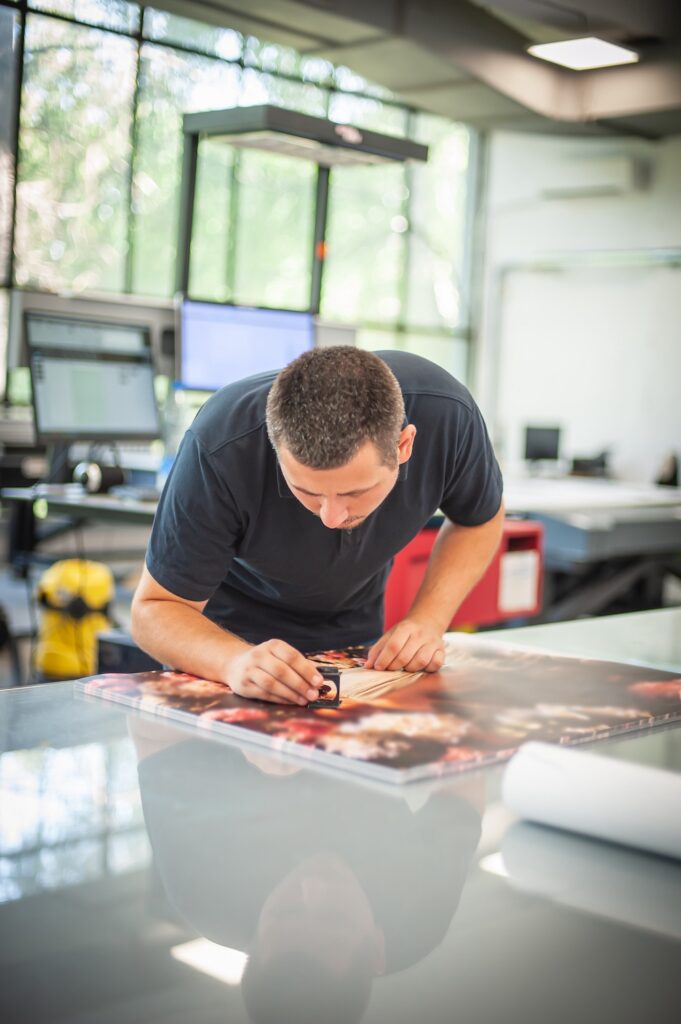
Media isn’t the only resource that gets wasted during printing. Ink is another significant operating expense, and poor color management can contribute to unnecessary consumption and costly reprints.
Color management is about achieving predictable, accurate color output across different printers, inks, and media types. Without the right settings, the same artwork can look noticeably different depending on the material being printed.
For example, a particular shade of blue might look accurate on one vinyl but appear darker or more saturated on another. If the output doesn’t match expectations, the shop may need to make adjustments and print the job again.
A properly configured ICC (International Color Consortium) profile helps account for these differences. ICC profiles are created for specific combinations of printers, inks, media, and desired output quality. They help translate colors into the appropriate ink combinations for a particular production environment.
SAi Flexi provides several color management tools to help operators control this process, including:
- ICC profile support: Load and apply output profiles that are designed for specific printer and media combinations.
- Color profiling: Use Flexi’s color profiler with a compatible spectrophotometer to create custom color profiles.
- Spot color mapping: Replace or map specific colors to achieve the intended output.
- Color correction controls: Adjust how colors are processed before they reach the printer.
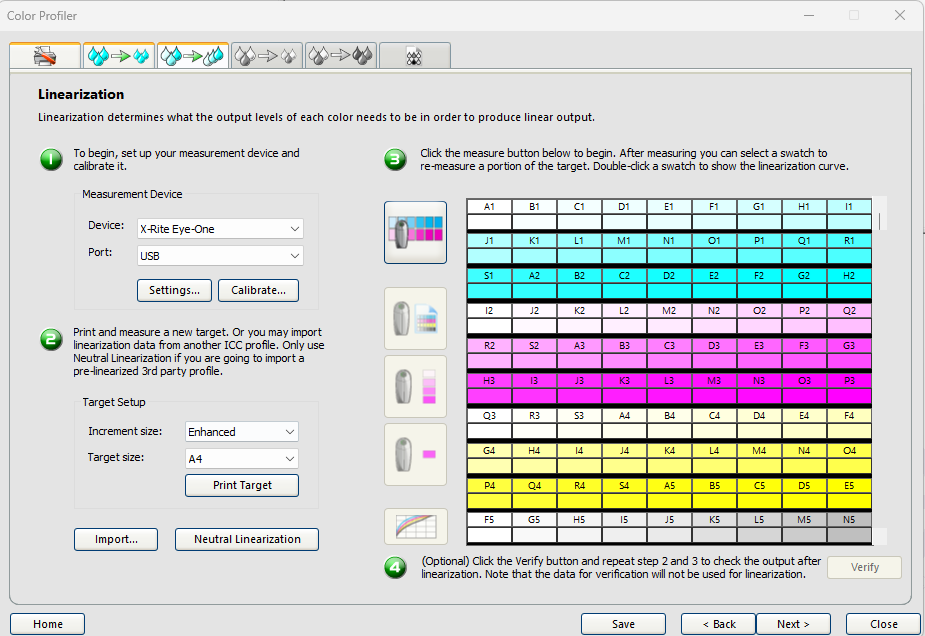
Using the correct profiles and color settings helps reduce unexpected color shifts, unnecessary test prints, and reprints caused by inaccurate output.
Color management can also help avoid applying more ink than necessary to achieve the intended appearance. The goal isn’t simply to use less ink, but to use it appropriately while maintaining the desired color quality.
For print shops working with multiple printers and media types, these capabilities are especially important for maintaining consistent results.
5. Take Control of White Ink Consumption with RIP Software
White ink introduces additional considerations for print shops working with direct-to-film (DTF), direct-to-garment (DTG), and other specialty printing applications.
In many of these workflows, white ink is used as an underbase beneath colored artwork. This provides opacity and helps colors appear vibrant, particularly when printing on dark or transparent materials.
However, applying white ink uniformly across an entire design isn’t always necessary. The type of artwork and the desired result should determine how the underbase is configured.
SAi Flexi provides both solid and variable underbase options:
Solid Underbase
A solid underbase applies a single spot color, typically white, at 100% coverage beneath selected objects. This is commonly used for vector graphics and text.
Flexi also provides choke and bleed controls. Choking reduces the size of the underbase slightly so it sits inside the edges of the artwork, while bleeding extends it beyond those edges. Proper adjustment helps prevent unwanted white edges or gaps around printed graphics.
Variable Underbase
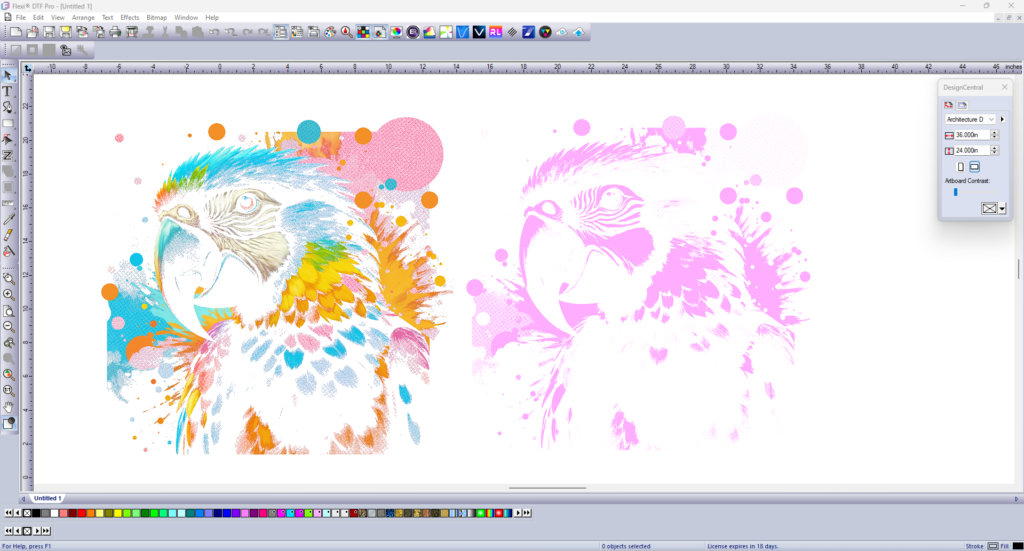
A variable underbase adjusts white ink density according to the image above it. This is particularly useful for bitmap images, gradients, and artwork containing transparent areas.
Rather than applying a uniform solid layer, the underbase density changes to correspond with the image. This allows more control over how white ink is applied while preserving the intended appearance of the design.
Flexi also supports printing files as separate layers, allowing color and spot-color information, such as white and varnish, to be organized for compatible printers.
For DTF workflows, these controls are especially useful because white ink coverage can have a significant impact on production costs. Choosing the appropriate underbase settings for each design helps avoid unnecessary ink application without sacrificing the opacity and appearance the finished transfer requires.
6. Understand Ink Consumption and Production Costs Before Printing
Reducing waste also means understanding what a job is likely to cost before committing it to production.
When operators don’t have a clear picture of material and ink consumption, it becomes harder to estimate job profitability, quote accurately, or identify opportunities to improve efficiency.
SAi Flexi includes an Ink Estimation feature in Production Manager for supported printers. After a job has been RIPed, operators can use the Estimate tool to calculate the expected ink consumption and approximate ink cost.
The feature allows users to configure several details, including:
- Ink drop sizes for different print modes.
- Cartridge capacity.
- The purchase price of ink cartridges.
- Estimated ink consumption in milliliters or picoliters.
- An allowance for printer cleaning cycles.
By accounting for these variables, shops can get a better understanding of the ink costs associated with individual jobs.
Ink Estimation is printer-dependent, so availability varies by device. For supported printers, however, it provides another useful way to understand production expenses and make more informed decisions.
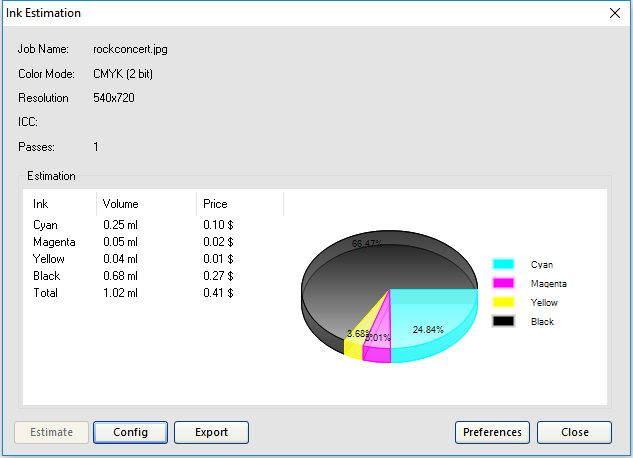
Flexi also includes job estimation tools that can account for media costs and additional services when calculating a job’s estimated price. Together, these tools help operators look beyond the artwork itself and consider the resources required to complete an order.
7. Choose RIP Software That Helps You Print Smarter
Reducing print waste isn’t about finding one setting that magically cuts production costs. It’s about making better decisions throughout the printing process.
The right RIP software helps bring those decisions together. From arranging designs more efficiently to managing color output and estimating ink consumption, these capabilities give print shops greater control over the resources they use every day.
SAi Flexi combines design, RIP, print, and cut capabilities with advanced production tools in one solution. Features such as True Shape Nesting, Production Manager job nesting, ICC color management, white ink controls, and Ink Estimation help operators improve material utilization and manage production costs.
Whether you’re producing signs, banners, vehicle graphics, decals, stickers, or DTF transfers, getting more from every print run can make a real difference to your bottom line.
Ready to reduce print waste and get more from your production equipment?
Explore SAi Flexi to see how its design and production tools can help your shop work more efficiently.
 English
 Português
 Deutsch
 Français
 Italiano
 Español
 Nederlands